February 27, 2026 · Gaurav Radadiya
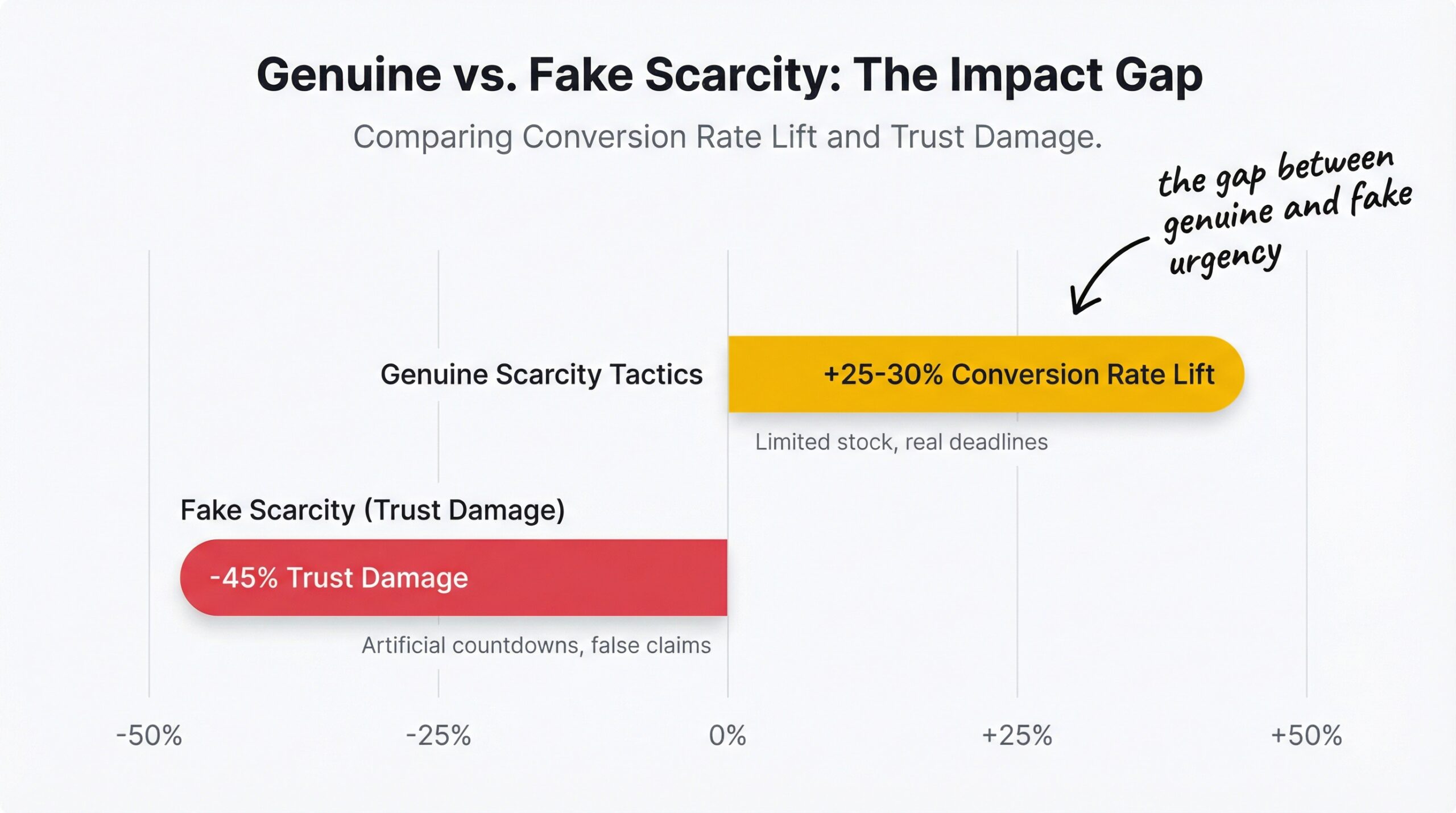
Scarcity tactics increase e-commerce conversion rates by 25-30% when they’re based on real data (OptiMonk scarcity marketing examples, 2025). But fake scarcity, countdown timers that reset, “Only 1 left” on every product, damages brand trust significantly (Winsome Marketing scarcity research, 2025). The gap between genuine urgency and manufactured pressure is the difference between a conversion lift and a customer who never comes back.
Low stock alerts on Shopify sit right in the middle of that gap. Done right, they use your real inventory data to create honest urgency that pushes shoppers off the fence. Done wrong, they become the kind of dark pattern that 60% of customers test by refreshing the page. This article shows you how to use low stock alerts urgency on Shopify the right way, with real numbers, real psychology, and no gimmicks.
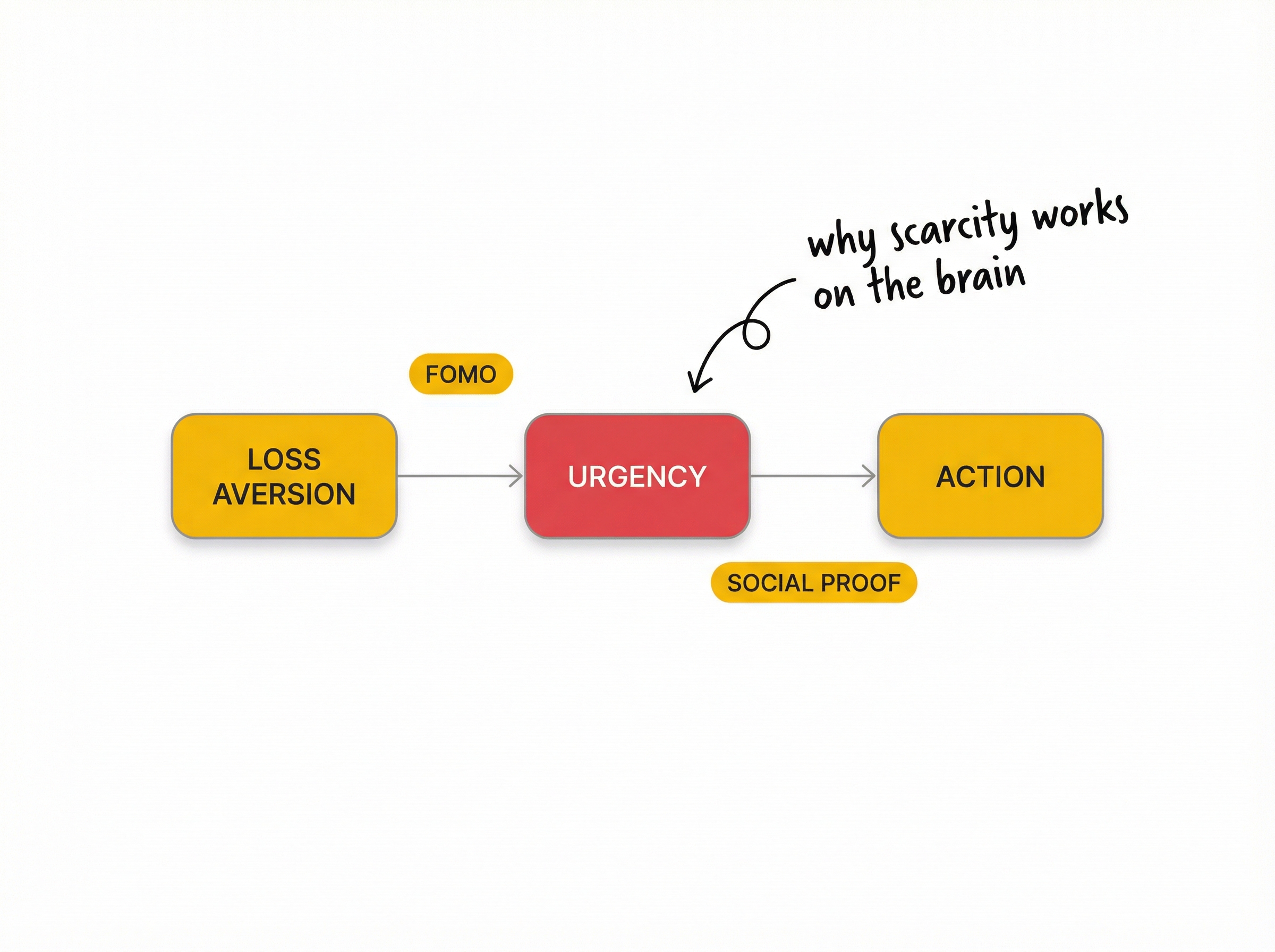
Low stock alerts work because they trigger loss aversion, a psychological bias where people feel the pain of losing something roughly twice as intensely as they feel the pleasure of gaining something equivalent. When a product page says “Only 3 left,” the customer’s brain shifts from “Do I want this?” to “What if I miss it?” That shift is what drives the conversion.
Three psychological principles explain why scarcity marketing on Shopify is so effective:
Loss aversion. Nobel Prize-winning research by Daniel Kahneman established that losses are felt approximately 2x more strongly than equivalent gains. A customer who sees “Only 3 left” processes it as potential loss, not just a purchase opportunity. That emotional weight drives faster decisions.
FOMO. Research shows that 60% of consumers have made purchases specifically because of fear of missing out, often within 24 hours of encountering a scarcity signal. Low stock alerts are one of the strongest FOMO triggers in e-commerce because they reference a real, finite number.
Concrete numbers beat vague claims. “Only 3 left in stock” is more compelling than “Limited availability” because it gives the customer a measurable, verifiable data point. Amazon pioneered this pattern, and it works because specificity signals honesty. The customer can check back later and see the number has actually decreased. Understanding what stockouts actually cost your Shopify store makes it clear why this urgency is legitimate: these products genuinely sell out, and customers genuinely lose access.
Not all urgency tactics are equal. Here are the four that work, ranked by effectiveness and trust.
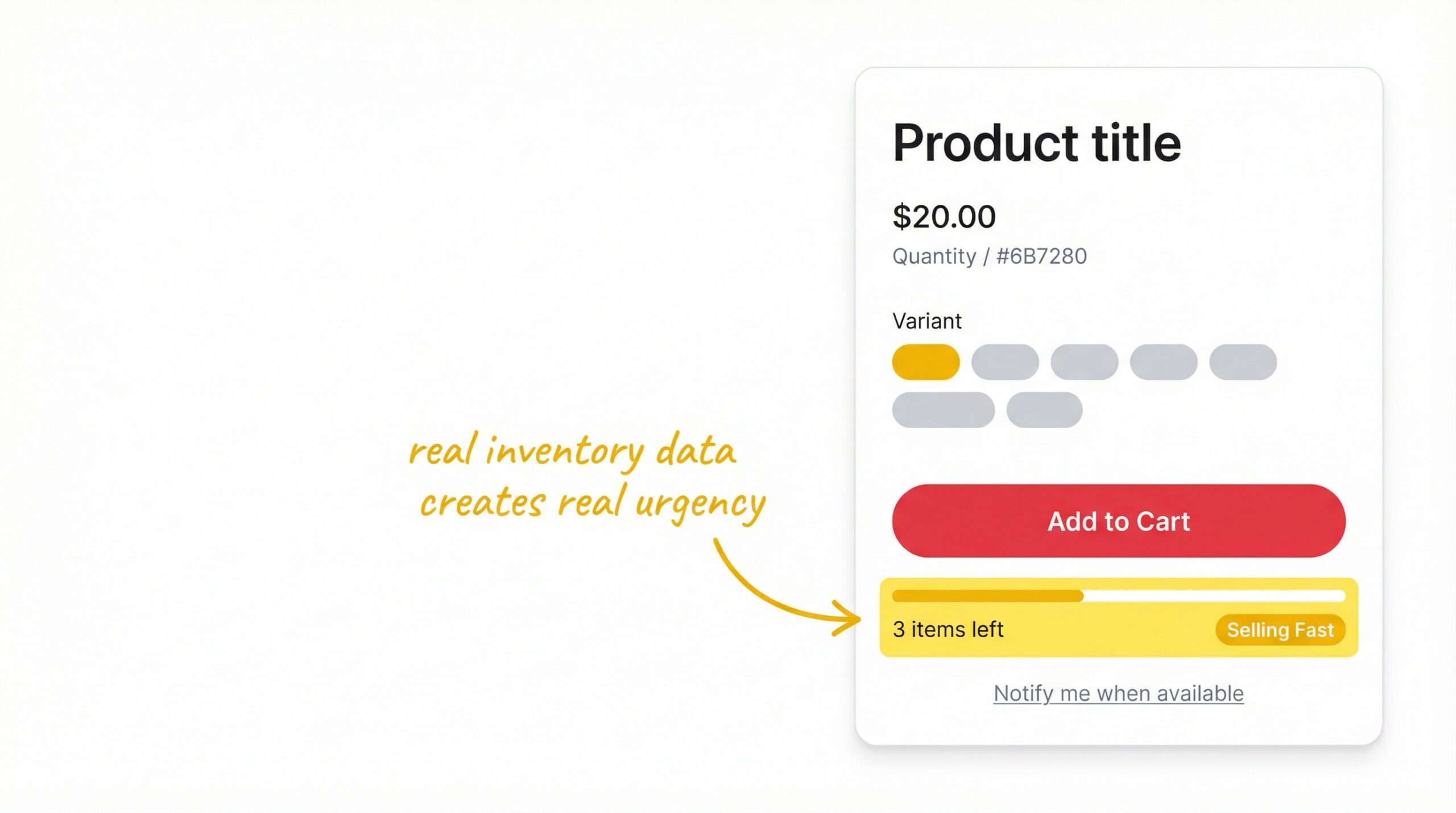
A low stock counter displays the remaining inventory when it drops below a threshold you set, typically 5-10 units. The customer sees “Only 4 left in stock” directly on the product page, creating urgency based on real data.
This is the highest-trust urgency tactic because the number is verifiable. Customers can return later and confirm the count has decreased. When implemented with real inventory data, low stock counters on Shopify deliver that 25-30% conversion lift without any trust risk.
Best for: Products with genuine scarcity, limited-run items, popular products that regularly sell out.
Countdown timers average an 8.6% conversion lift in controlled studies, with specific A/B tests showing improvements as high as 300% (Capital and Growth CRO research, 2025). The key caveat: the timer must count down to a real event. A timer counting to the end of a genuine flash sale works. A timer that resets when the page refreshes destroys trust.
Best for: Genuine flash restocks, limited-time pricing events, seasonal promotions with real deadlines.
“Low Stock,” “Selling Fast,” or “Almost Gone” badges on product listings and collection pages give shoppers urgency before they even reach the product page. Social proof badges increase conversion rates by 15-25% (Fordeer Commerce product badge research, 2025).
The most effective badges are automated, they appear when inventory drops below your threshold and disappear when stock is replenished. Manual badges that never change signal to returning customers that the urgency isn’t real.
Best for: Collection pages, product grids, high-traffic browse experiences.
This is the smartest combination for Shopify stores. When stock is low, show the urgency counter to drive immediate purchases. But also display a small Notify Me button on Shopify as a safety net, so if the customer doesn’t buy now and the item sells out, they can still be notified when it restocks.
This approach captures two types of value: the immediate purchase from the urgency signal, and the future purchase from the back-in-stock notification. You’re not losing the sale either way.
Best for: Any product page where stock genuinely runs low, especially for products with repeat stockout history.
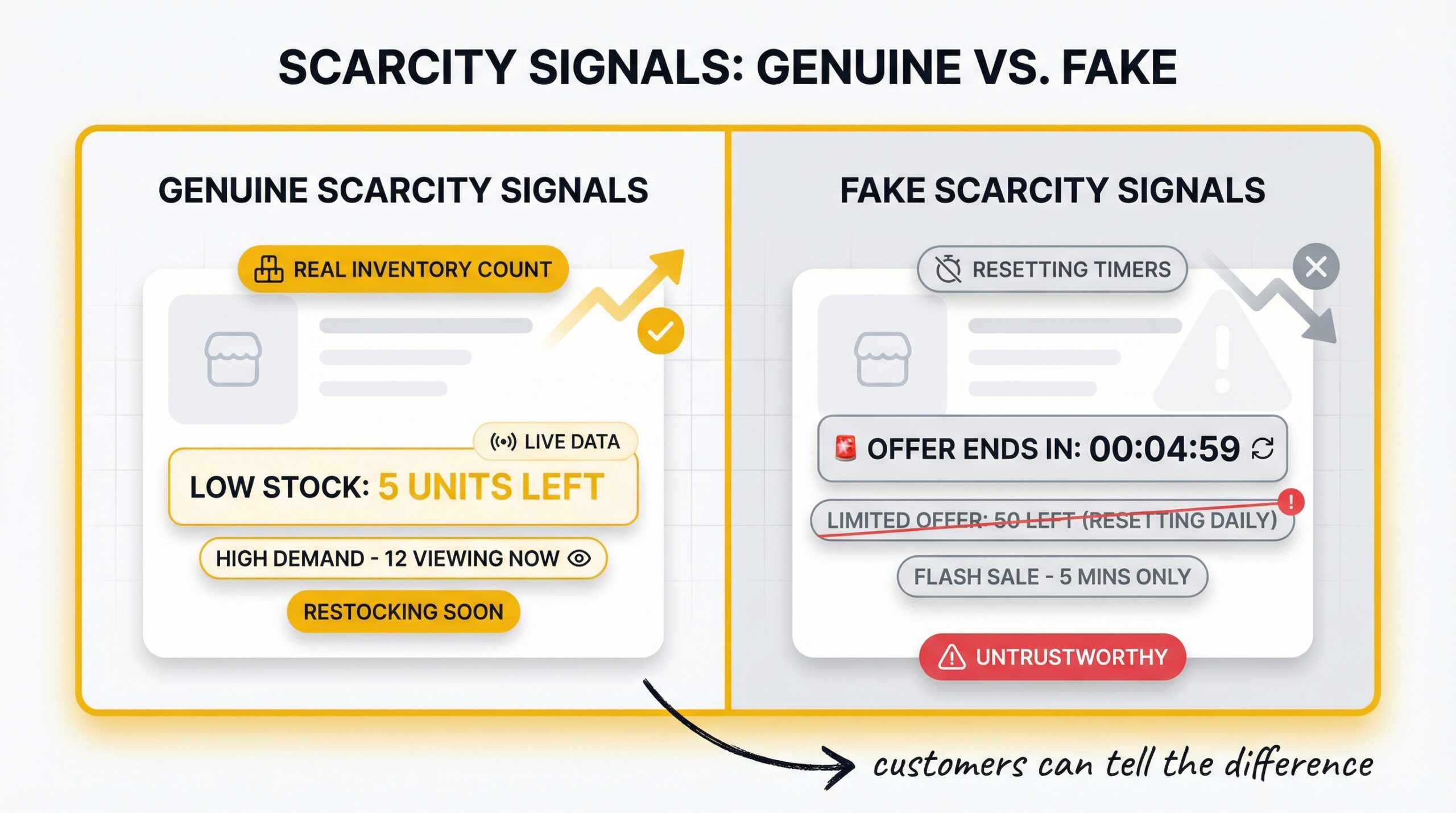
This distinction matters more than most stores realize. Over 60% of shoppers actively test urgency tactics by refreshing the page to see if timers reset or numbers change (TCF Team scarcity tactics report, 2025). Your customers are not passive. They’re testing you.
| Signal | Genuine Urgency | Fake Scarcity |
|---|---|---|
| Stock count | Real-time inventory from your Shopify backend | Static “Only 2 left” that never changes |
| Countdown timer | Counts to a real event (sale end, restock deadline) | Resets on page refresh or session |
| Badges | Appear and disappear based on inventory threshold | Always present, every product shows “Limited” |
| Social proof | “47 people viewed this today” from real analytics | Fabricated numbers with no data source |
| Frequency | Used selectively on genuinely scarce products | Applied to every product across the store |
The cautionary example: One fashion retailer launched a “limited release” of 500 items, then repeatedly “found” additional inventory. When customers realized the scarcity was fake, social media backlash caused a significant drop in overall sales the following quarter. The conversion gains from fake scarcity don’t last, and the trust damage compounds.
The rule: If a customer could verify your scarcity claim and find it false, don’t make the claim. Low stock counters tied to Shopify’s real inventory data pass this test automatically. Manual counters, resetting timers, and fabricated limits do not.
Here’s the practical setup for urgency that converts:
Step 1: Set your threshold. Calculate based on your sales velocity. If a product sells 5 units per day and your supplier lead time is 7 days, your reorder point is 35 units. Set your low stock display threshold at a fraction of that, perhaps 10 units, where the urgency feels real. Fast-moving products need higher thresholds. Slow-moving products can use 3-5 units.
Step 2: Display inventory counts on product pages. Use a Shopify app or theme customization to show remaining inventory only when stock falls below your threshold. Shopify’s Liquid template language includes product.variants.first.inventory_quantity, which gives you the raw number to work with.
Step 3: Add urgency badges that trigger automatically. Configure “Selling Fast” or “Low Stock” badges to appear in collection pages when inventory drops below your threshold. These should disappear automatically when stock is replenished. Never leave stale urgency badges on fully-stocked products.
Step 4: Combine with back-in-stock notifications. Install a StoreBeep restock notification app to capture demand when items actually sell out. If you’re comparing options, see our breakdown of the best Shopify restock notification apps. The low stock alert drives immediate purchases. The “Notify Me” button captures everyone else. You’re covered both ways.
Step 5: Test and measure. Run A/B tests comparing product pages with and without low stock alerts. Track conversion rate, add-to-cart rate, and bounce rate. If bounce rate increases significantly, your urgency may be too aggressive or customers don’t trust the numbers. Adjust your threshold and messaging accordingly.
These mistakes silently undermine your urgency tactics:
Fake countdown timers that reset on refresh. This is the single fastest way to destroy trust. If customers test the timer (and they will) and see it restart, they’ll assume everything on your store is fake. Never use countdown timers unless they’re tied to a real, verifiable event.
“Only 1 left” on every product. If every product in your catalog shows “Only 1 left,” customers recognize the pattern immediately. Reserve low stock messaging for products that are genuinely running low. When everything is urgent, nothing is.
Overdoing urgency on every page. Urgency badges on every collection page, countdown timers on every product, “Selling Fast” labels on items with 500 units in stock, this is the e-commerce equivalent of crying wolf. Be selective. Urgency works precisely because it’s the exception, not the rule.
No fallback for when items sell out. If your low stock alert creates urgency but the product sells out before the customer buys, you lose the sale entirely without any way to recover it. Always pair low stock alerts with a “Notify Me” option. When products sell out, customers who signed up get automated restock emails and come back to buy.
Ignoring mobile optimization. Low stock counters and badges that look clean on desktop but crowd the mobile product page hurt more than they help. Mobile shoppers have less screen space, so urgency elements need to be compact, well-placed, and not block the Add to Cart button.
Yes. Well-implemented scarcity tactics increase conversions by 25-30% when based on real inventory data. The key is authenticity. Using genuine stock counts from your Shopify backend creates trust. Fake or static numbers damage it.
It depends on your sales velocity. Fast-selling products (5+ units per day) should trigger low stock alerts at 10-20 units. Slow-moving products can use 3-5 units. The threshold should create genuine urgency, not panic.
Yes. Fake scarcity damages brand trust significantly. Over 60% of shoppers actively test timers by refreshing the page. One retailer saw a major sales drop after customers exposed fake scarcity tactics on social media.
Amazon displays actual inventory counts when stock drops below a threshold. The numbers reflect real warehouse data, making the urgency authentic. This approach works because the specificity signals honesty that customers can verify.
Only when stock is genuinely low. Showing “847 in stock” removes all urgency. Showing “Only 3 left” creates it. Set a threshold and only display inventory counts below that level.
Yes. This is the recommended approach. Show the low stock warning to drive immediate purchases. Add a “Notify Me” button as a backup so customers can sign up for restock alerts if the item sells out before they buy.
Scarcity marketing uses limited availability or time constraints to create urgency and drive faster purchase decisions. It works because of loss aversion: people fear missing out more than they desire gaining something equivalent. Effective scarcity marketing always uses genuine constraints, never fabricated ones.
They average an 8.6% conversion lift in controlled tests. They work best for genuine time-limited events like flash sales or limited restocks. Never use timers that reset on page refresh as they destroy customer trust immediately.
Low stock alerts urgency on Shopify is one of the most effective urgency tactics ecommerce conversion strategies available. They tap into loss aversion, create FOMO with real data, and give customers a concrete reason to buy now. But the line between genuine Shopify inventory urgency and manipulation is thin. Use your real inventory data. Display honest numbers. Pair low stock warnings with “Notify Me” as a safety net. Test your implementation. And never fake scarcity; the 25-30% conversion lift isn’t worth the trust damage when customers catch you. If you’re handling out of stock products on Shopify without any urgency or notification system, you’re leaving both immediate and future revenue on the table.
Keep reading